A REST API without writing a single line of code
Imagine you are building a full-text search solution for a client. Almost everything is there, except for one small but annoying gap: you need a simple way to manage synonyms. Adding this to an existing SaaS product is cumbersome, and you are understandably hesitant to introduce custom code that tightly couples you to that SaaS platform.
I run into this type of scenario more often than you would expect. Building a full-blown admin panel feels like overkill, especially when it requires setting up a backend, authentication, CRUD endpoints, and all the usual plumbing.
In this post I will show how you can use Data API Builder to spin up a REST API with minimal effort. No application code, just configuration. This will already provide you a backend solution, after which only the frontend needs to be created next.
Installing Data API Builder
The first step is installing the Data API Builder tool. I am going to assume you already have dotnet installed on your machine.
dotnet tool install --global Microsoft.DataApiBuilder
Choosing a database
For the database I deliberately choose an open source solution. That gives freedom. No vendor that can suddenly decide to increase licensing costs next year. PostgreSQL is a solid choice here.
To keep things simple, I start by adding a docker-compose file so I can run Postgres locally. Make sure your firewall is enabled. I should not have to explain why these default credentials are unsafe outside of a local setup.
# docker-compose.yml
services:
  postgres:
    image: postgres:latest
    environment:
      POSTGRES_DB: myapp
      POSTGRES_USER: appuser
      POSTGRES_PASSWORD: apppassword
    ports:
      - "5432:5432"
    volumes:
      - postgres_data:/var/lib/postgresql
#      - ./docker-entrypoint-initdb.d:/docker-entrypoint-initdb.d

volumes:
  postgres_data:
Database first, again
Choosing Data API Builder gives me some old-school vibes. We are back to a database-first approach. These days, when writing application code, we almost always start code-first. Here it is the other way around.
For this blog I keep the table deliberately simple. I skip aspects like indexing to keep the focus on the API itself. In a real-world scenario, especially when the table starts to grow, you should absolutely think about indexes.
The following SQL statement defines a table to store synonyms.
-- 001-create-synonym-table.sql
CREATE TABLE IF NOT EXISTS synonym (
    id            BIGINT GENERATED ALWAYS AS IDENTITY PRIMARY KEY,

    synonym_group TEXT NOT NULL,
    rule          TEXT NOT NULL,

    locale        TEXT NOT NULL,
    is_active     BOOLEAN NOT NULL DEFAULT true,

    description   TEXT,

    CONSTRAINT uq_search_synonym UNIQUE (synonym_group, rule)
);
Initializing Data API Builder
Now it is time to initialize Data API Builder using the dab tool. Run the following command:
dab init --database-type "postgresql" --host-mode "Development" --connection-string "Host=localhost;Port=5432;Database=myapp;User ID=appuser;Password=apppassword;"
This creates a new file called dab-config.json. With that in place, we can start adding entities. The next command adds our synonym table as an entity and exposes it as a REST endpoint.
dab add Synonym --source public.synonym --permissions "authenticated:create,read,update,delete" --rest "synonyms" --graphql false
Authentication setup
Next up is authentication. My original plan was to use Keycloak and configure the provider as a Custom provider. Unfortunately, at the time of writing there are still issues with this approach (see #2820).
For now, I switch the provider to Simulator. This allows me to pass a header that defines the security role. Not production-ready, but good enough to demonstrate the flow.
//...
      "authentication": {
        "provider": "Simulator"
      },
//...
Starting the API
That is all that is needed to get things running. With the following command, the API starts up and becomes available on localhost:5000.
$env:DAB_ENVIRONMENT="Development"; dab start
Open a browser and navigate to http://localhost:5000/swagger. Expand the POST endpoint and set the X-MS-API-ROLE header to authenticated. Then send the following request body:
{
  "synonym_group": "large",
  "rule": "large,huge,massive,enormous,gigantic,immense,colossal,substantial",
  "locale": "en",
  "is_active": true,
  "description": "Great physical size"
}
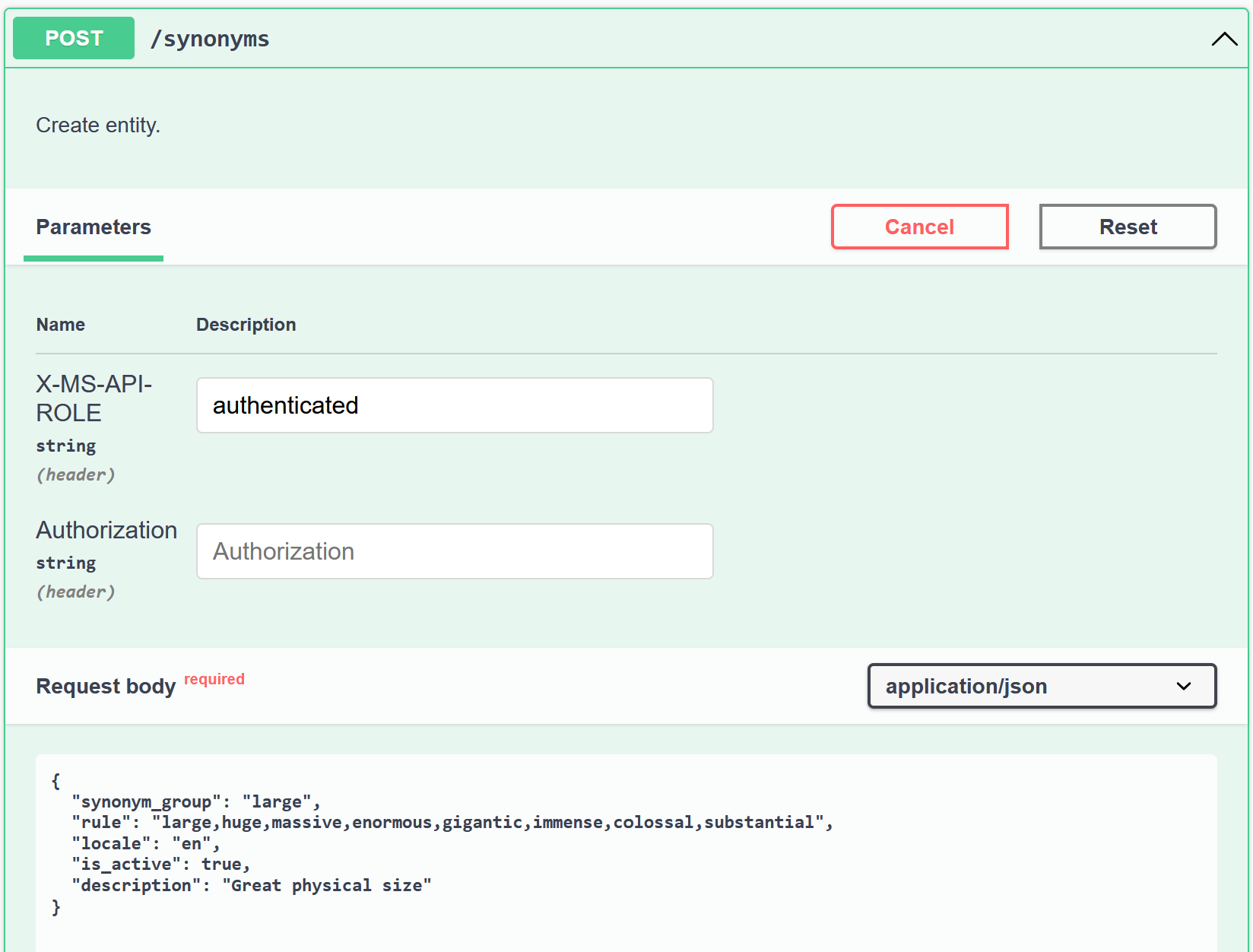
At this point the API accepts the request and stores the synonym. A quick check in the database confirms that the record is indeed there.

Conclusion
In this post I walked through using Data API Builder to create a REST API with nothing more than configuration. For scenarios like admin panels, this can be surprisingly effective. You get CRUD endpoints out of the box, including filtering capabilities that feel very similar to OData.
That said, the tool does not feel fully finished yet to me. The Custom authentication provider is currently having issues, and PostgreSQL support is more limited compared to Azure SQL. If you decide to use Data API Builder, it is probably wiser to stay within the Microsoft ecosystem, think about using Entra and Azure SQL.
Still, I see real value here. It is an easy way to setup an API quickly, without committing to a full backend implementation. Given its association with Fabric, I expect this tool to mature further and become more interesting over time.